2 admin actions:
-
Anonymized commonwealth’s account at his request. Going forward, I think this will be how I handle any requests to have accounts deleted. Anonymizing is so much easier for me than deleting (particularly for a user with many posts), and it leaves the forum intact, that it’s hard to justify deletion vs. anonymizing.
-
Upgraded the site software. Here, I’m going to describe the process with a bit of detail so that I (or someone else) can easily remember how in the future. Here’s the warning you get when you log in to the admin panel:
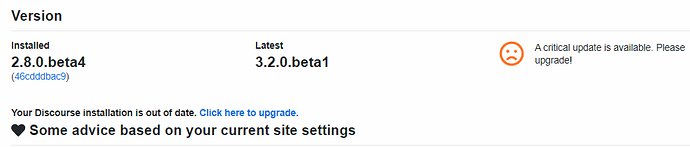
In theory, this is an easy process. When you click the link to upgrade, you’re sent to page with multiple components that may or may not have upgrades available. For example, even though I just upgraded universally, there are already a couple of things available:
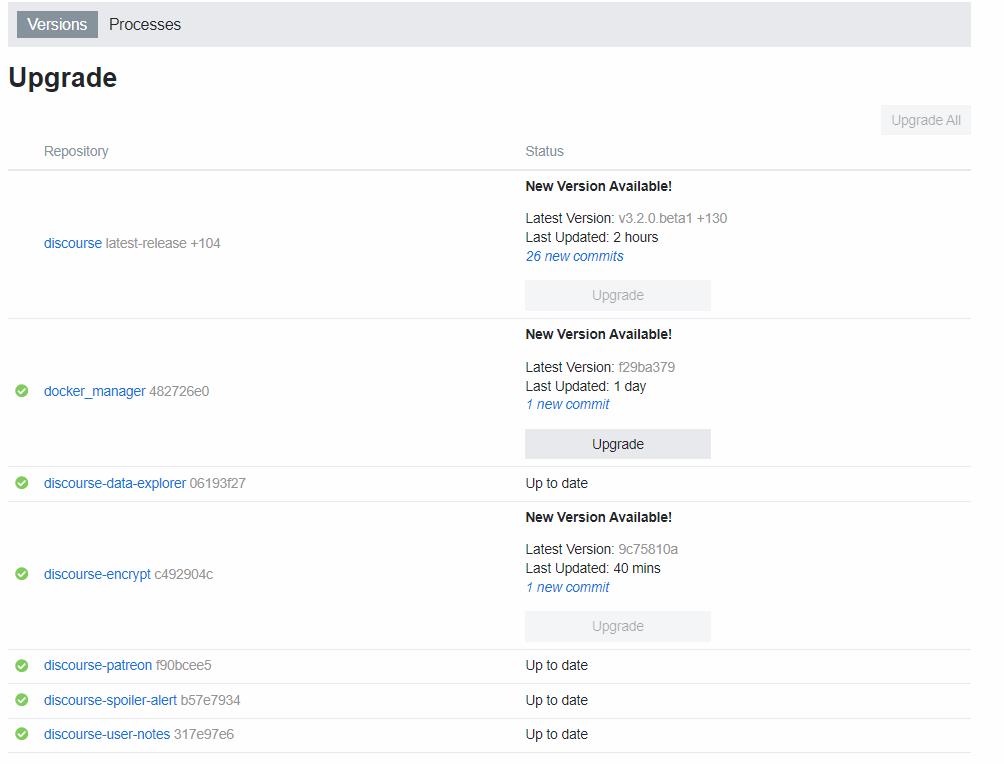
Before I upgraded, I think every single one of these items was out of date. What made it a little trickier was that the “Upgrade All” button, which I desperately wanted to press, was not active. After a little googling, it was apparent that the first thing that had to be upgraded was the docker_manager. That was simple. But even after that, I still couldn’t upgrade via button press, presumably because we were so far behind on software releases. So I had to do it manually. As described here, I had to:
- SSH into the server
- Switch to root (this was the step that wasn’t spelled out, and I was getting frustrated that things weren’t working)
- change to the /var/discourse directory, and then run “./launcher rebuild app”
Once i was logged in as root, that started the very long upgrade process that, surprisingly, was happening even as people continued to post on the site. I was just watching the command line window like
After a while, everything seemed to turn out ok, and we were on the latest software:

Most everything seems to be smooth, except for a few issues. The most notable one is that my notifications were filled with things like “posts edited” and “posts moved” that were not at all recent. I have no idea why these were marked as new. But clicking on the Dismiss box at the bottom of the notification window:
seems to have permanently cleared those old notifications.
Second, I was initially irritated by the change in layout, particularly that box to the left:
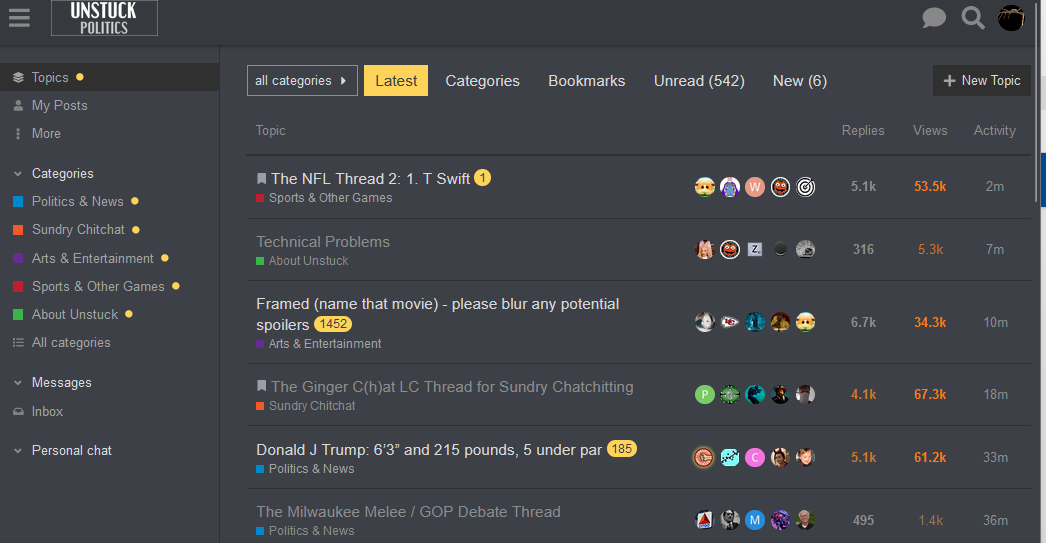
But just clicking the hamburger menu in the top left corner makes that go away.
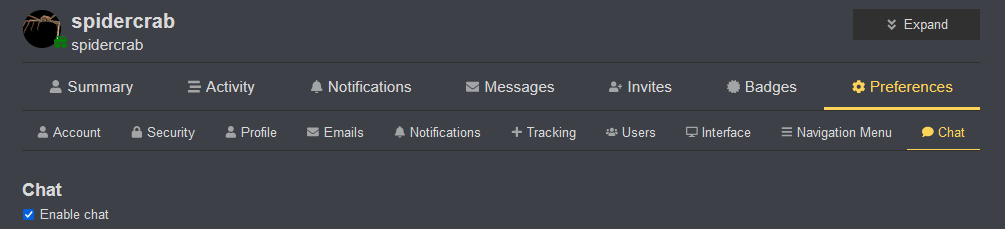
Finally, there’s a new chat bubble/tool available in the upper right corner (next to search). If you find that irritating, you can make it disappear by going to preferences/chat and unclicking “Enable chat”:
I don’t know anything about custom themes and whether they work or not. That’s probably beyond my capacity to address.